Getting Started
Tours
Interactive guided tours to learn PetroBench features
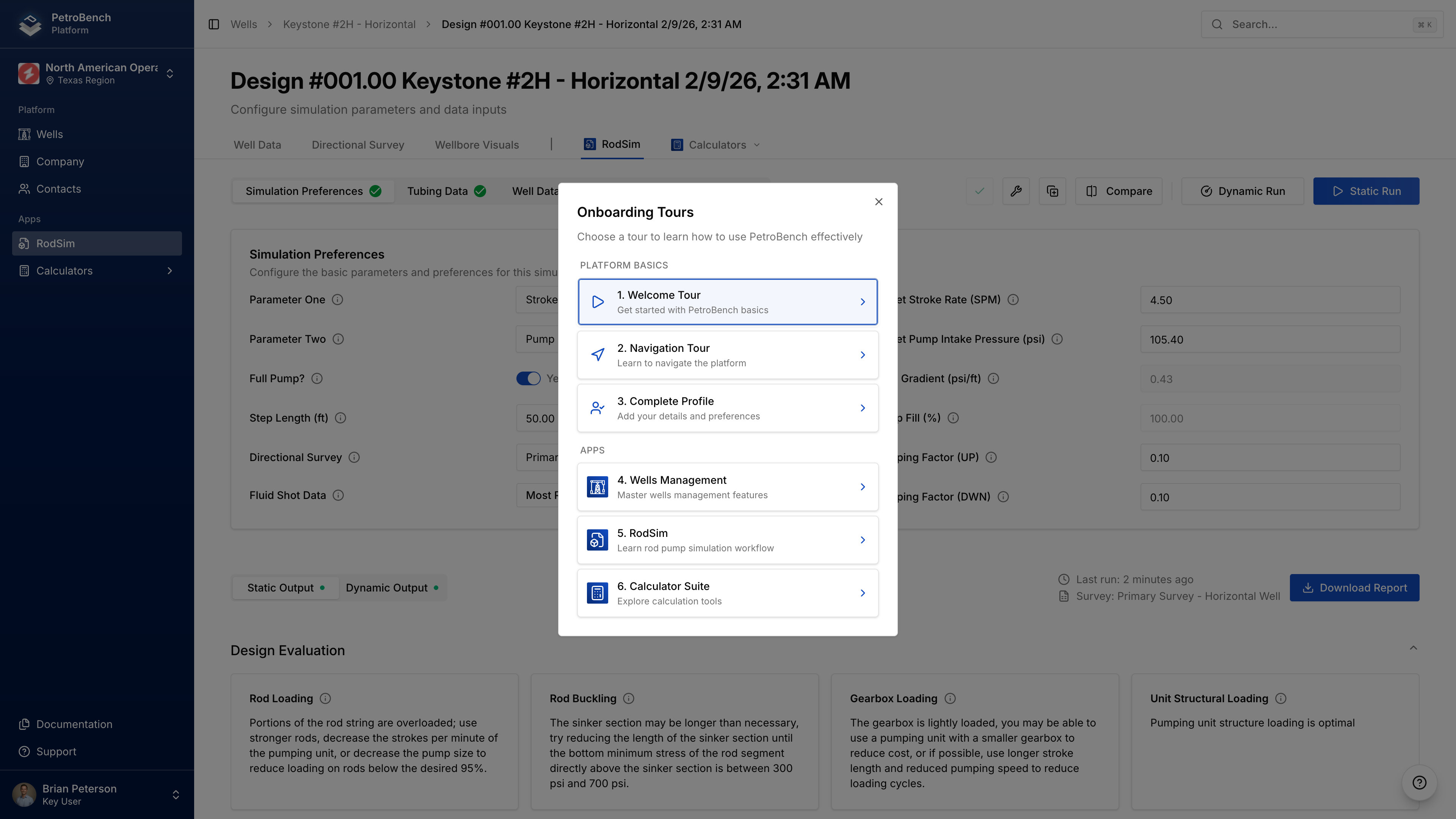
PetroBench includes interactive tours that walk you through key features. Tours highlight UI elements and explain what they do.
Starting a Tour
First login: A welcome modal appears with the option to start the Navigation Tour.
Anytime: Click your profile picture in the sidebar, then select Tours.
Available Tours
| Tour | What It Covers |
|---|---|
| Navigation | Sidebar menu, organization switcher, profile settings, help resources |
| Wells | Wells table, creating wells, importing data, search and filters |
| RodSim | Simulation list, input configuration, running simulations, viewing results |
| Calculators | Calculator grid, input parameters, results, charts |
Tour Controls
- Next/Previous - Navigate between steps
- X - Exit the tour anytime
- Arrow keys - Navigate steps with keyboard
- Esc - Exit tour
Tours take 2-3 minutes each. You can exit and restart anytime from the user menu.
Tour Sequence
- Navigation Tour starts automatically for new users
- After completion, choose to continue with Wells Tour or explore on your own
- Other tours can be started from the user menu
The RodSim tour requires at least one existing simulation. Create a simulation first if prompted.
Your First Simulation
Step-by-step guide to creating your first rod pump simulation in PetroBench. Configure a well, set up equipment, run the analysis, and interpret results.
Wells
Create, import, and manage wells in PetroBench. Configure casing, tubing, perforations, production data, and directional surveys for rod pump simulations.