Simulation Comparisons
Compare up to five rod pump simulation designs side-by-side in PetroBench. Evaluate rod strings, loads, production rates, and equipment configurations.
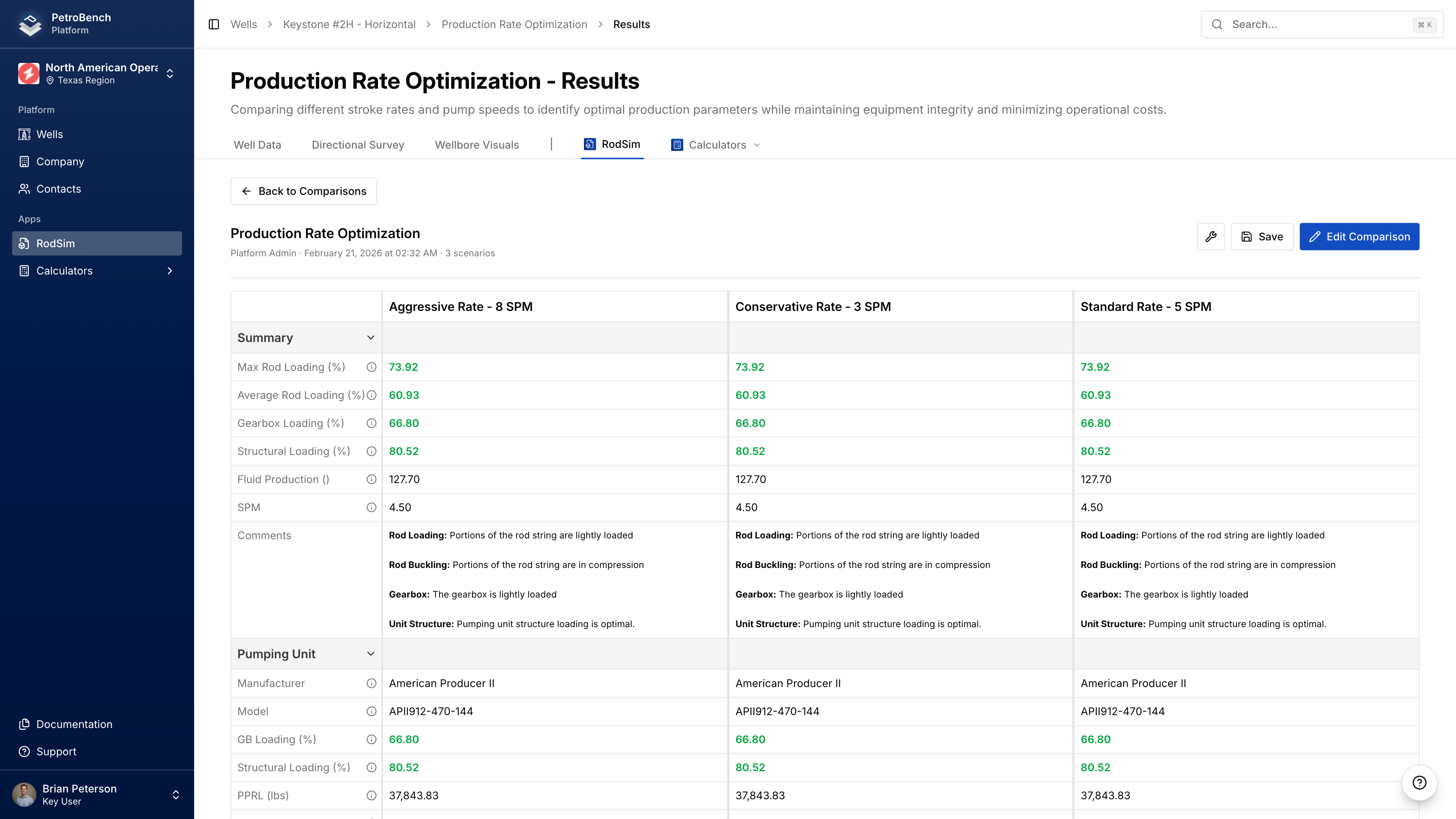
Compare up to 5 rod simulations with different configurations to identify the optimal design.
Create a Comparison
- Navigate to your well's RodSim tab
- Select one or more simulations using checkboxes
- Click Compare
- Review the auto-generated name and description
- Click Create Comparison
If you select just one simulation, it's duplicated to create two scenarios you can configure differently.
The first simulation becomes the base simulation - your reference point for comparison. It always appears first and can't be removed.
Add & Manage Simulations
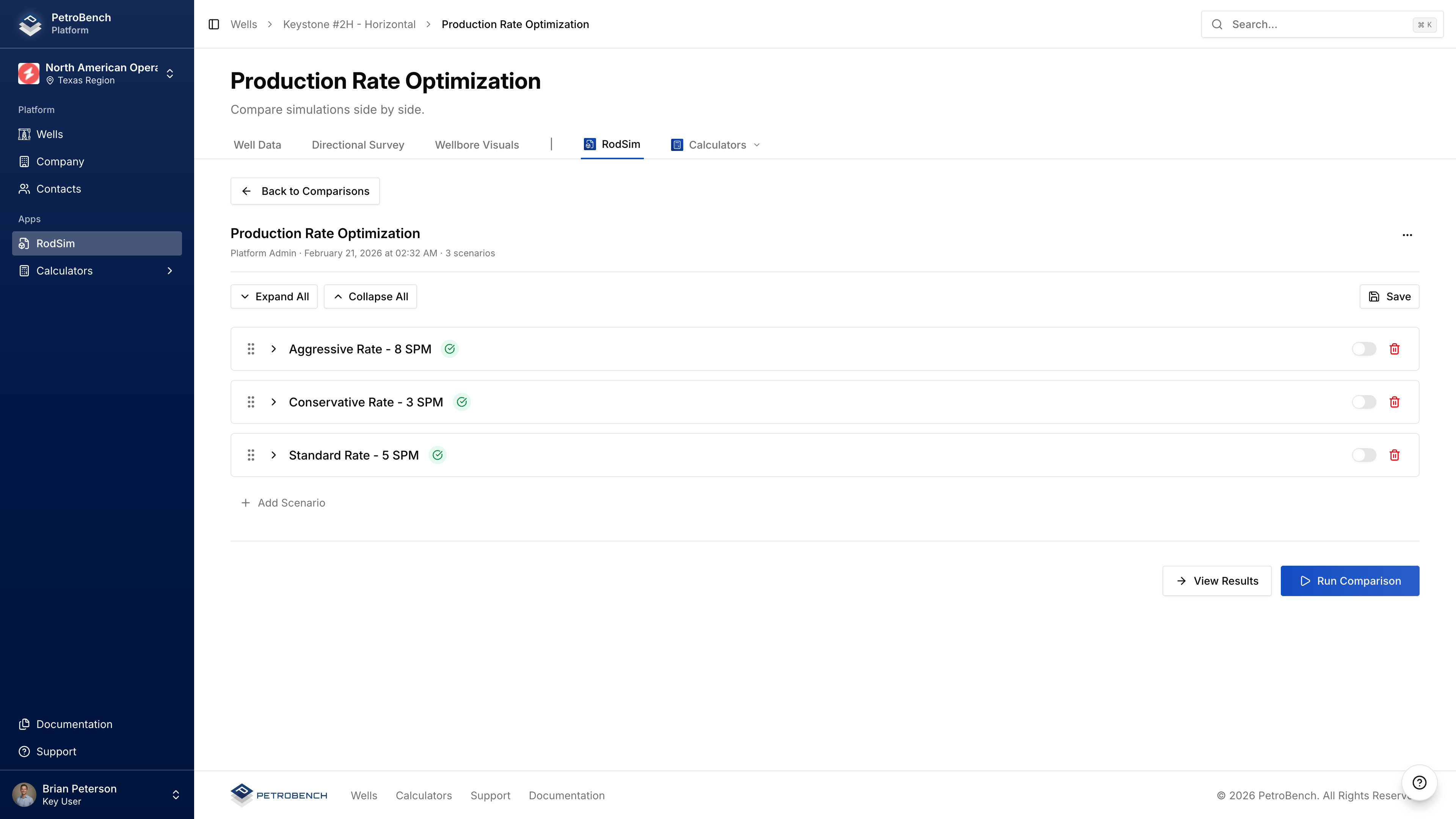
Add Simulations
- Open your comparison
- Click Add Simulation
- Select from available simulations
- Click Add to Comparison
Duplicate a Scenario
- Click the menu icon (three dots) on a scenario card
- Select Duplicate
Remove a Scenario
- Click the menu icon on the scenario card
- Select Remove from Comparison
Removing a simulation deletes that duplicated scenario. The original simulation is unaffected.
Configure Each Scenario
Expand a scenario card to modify:
- Pumping Unit - Select different units per scenario
- Rod String - Modify grades, sizes, taper sections
- Tubing - Adjust anchor settings, pump depth
- Parameters - Set stroke rate, production targets
Run the Comparison
- Click Run Comparison
- Monitor progress for each scenario
- Wait for all scenarios to complete
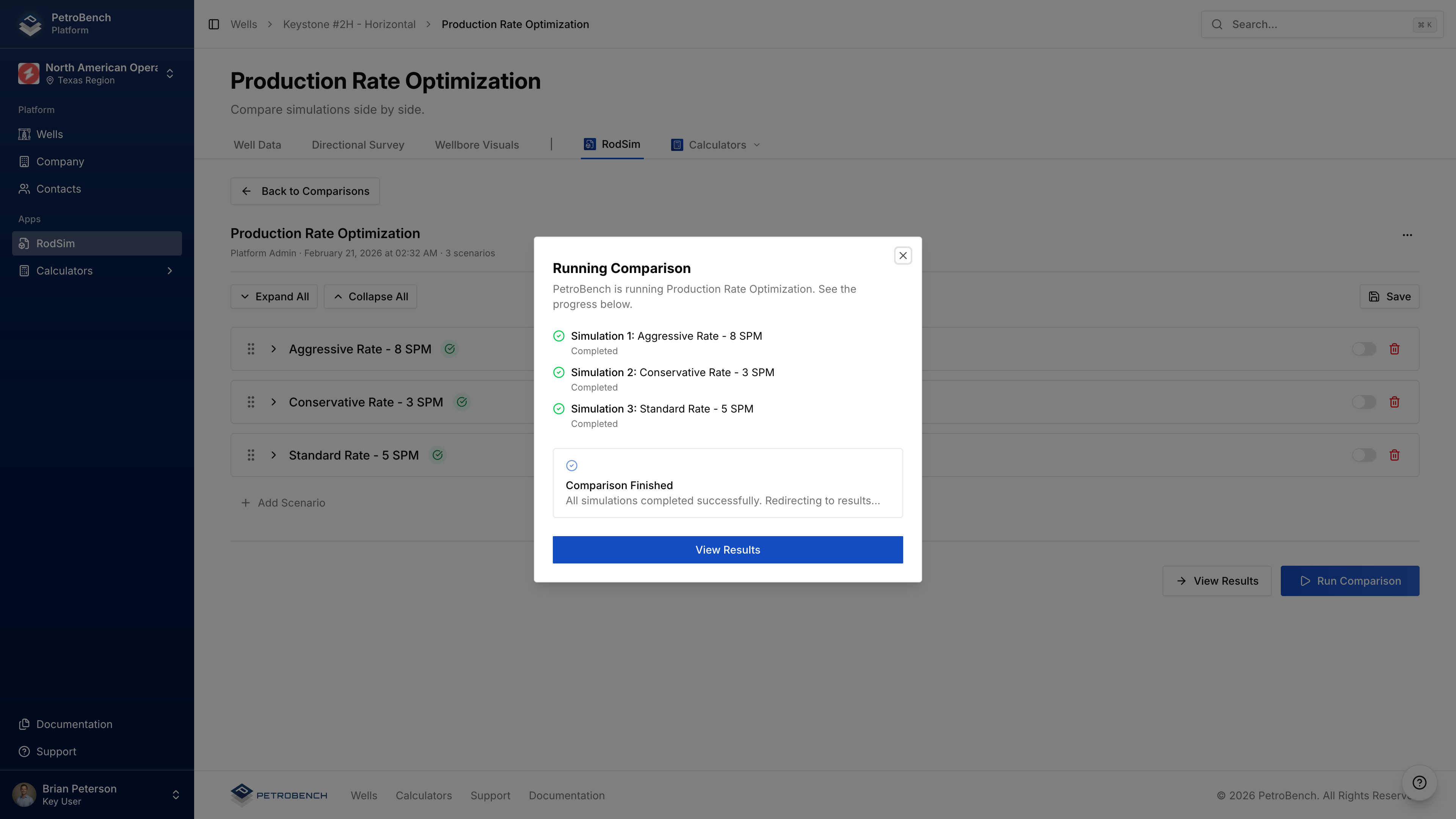
Scenarios run sequentially (base simulation first). Each typically takes 10-30 seconds.
If a scenario fails, others continue processing. Failed scenarios show error messages in results.
View Results
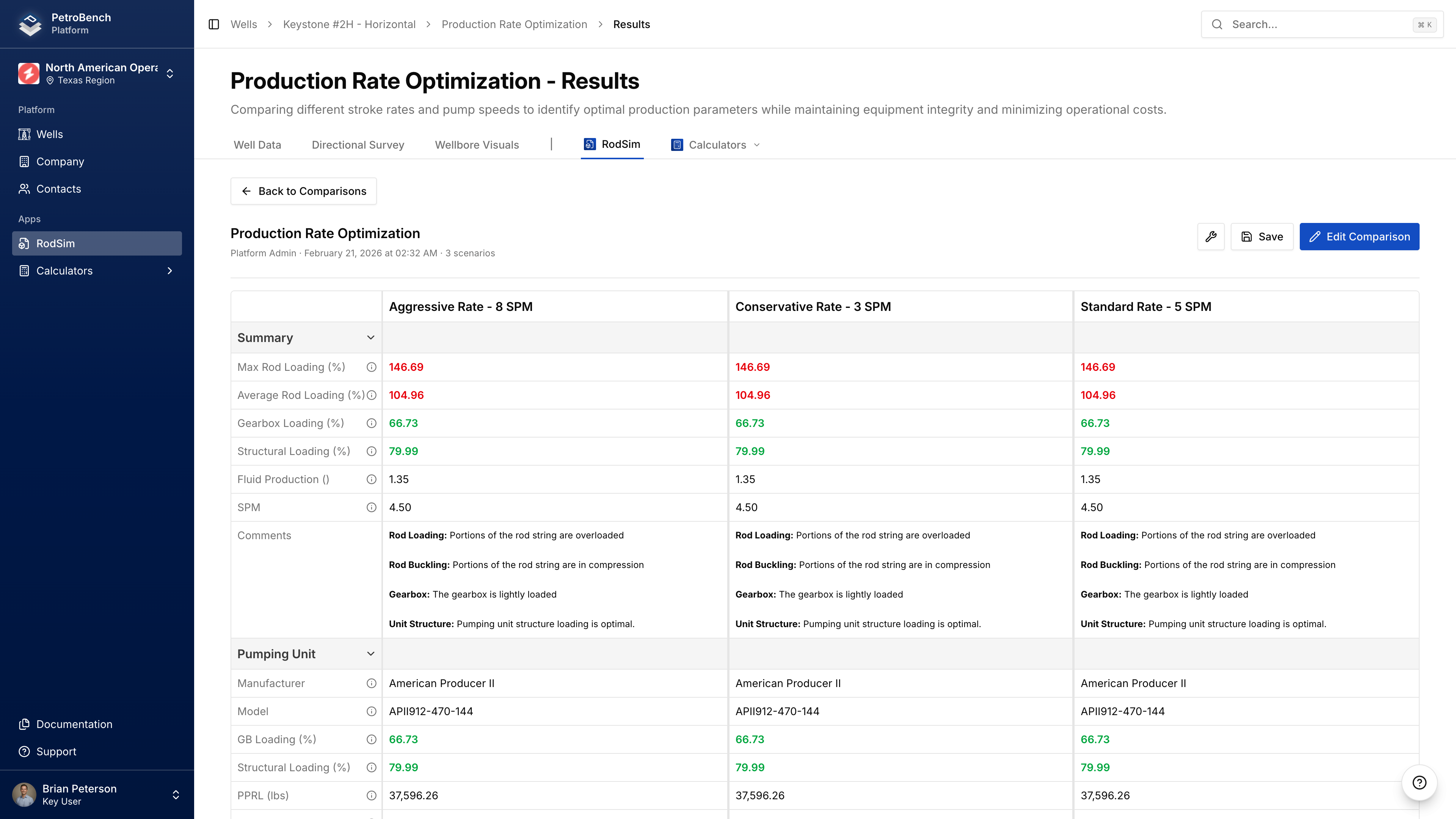
The results page shows side-by-side metrics:
| Metric | Description |
|---|---|
| Pump Displacement | Theoretical pump output (BPD) |
| Pump Fillage | Percentage of pump barrel filled |
| Polished Rod HP | Power at surface |
| Peak Torque | Maximum gearbox torque (in-lb) |
| Peak Rod Stress | Maximum stress in rod string (psi) |
| Max/Min Rod Load | Load range during cycle (lbs) |
Values outside recommended ranges are highlighted.
Re-Running
After modifying scenario configurations:
- Return to Comparison Inputs
- Make changes to any scenario
- Click Run Comparison
Re-running overwrites previous results for all scenarios.
Running Simulations
Run RodSim simulations and analyze results in PetroBench. View dynamometer cards, stress diagrams, production forecasts, and export PDF reports.
Troubleshooting
Troubleshoot common RodSim errors in PetroBench. Solutions for convergence failures, invalid configurations, and unexpected simulation results.