Equipment
Custom Rods
Create custom rod string configurations in PetroBench. Define rod grades, diameters, and taper designs for accurate stress and fatigue analysis.
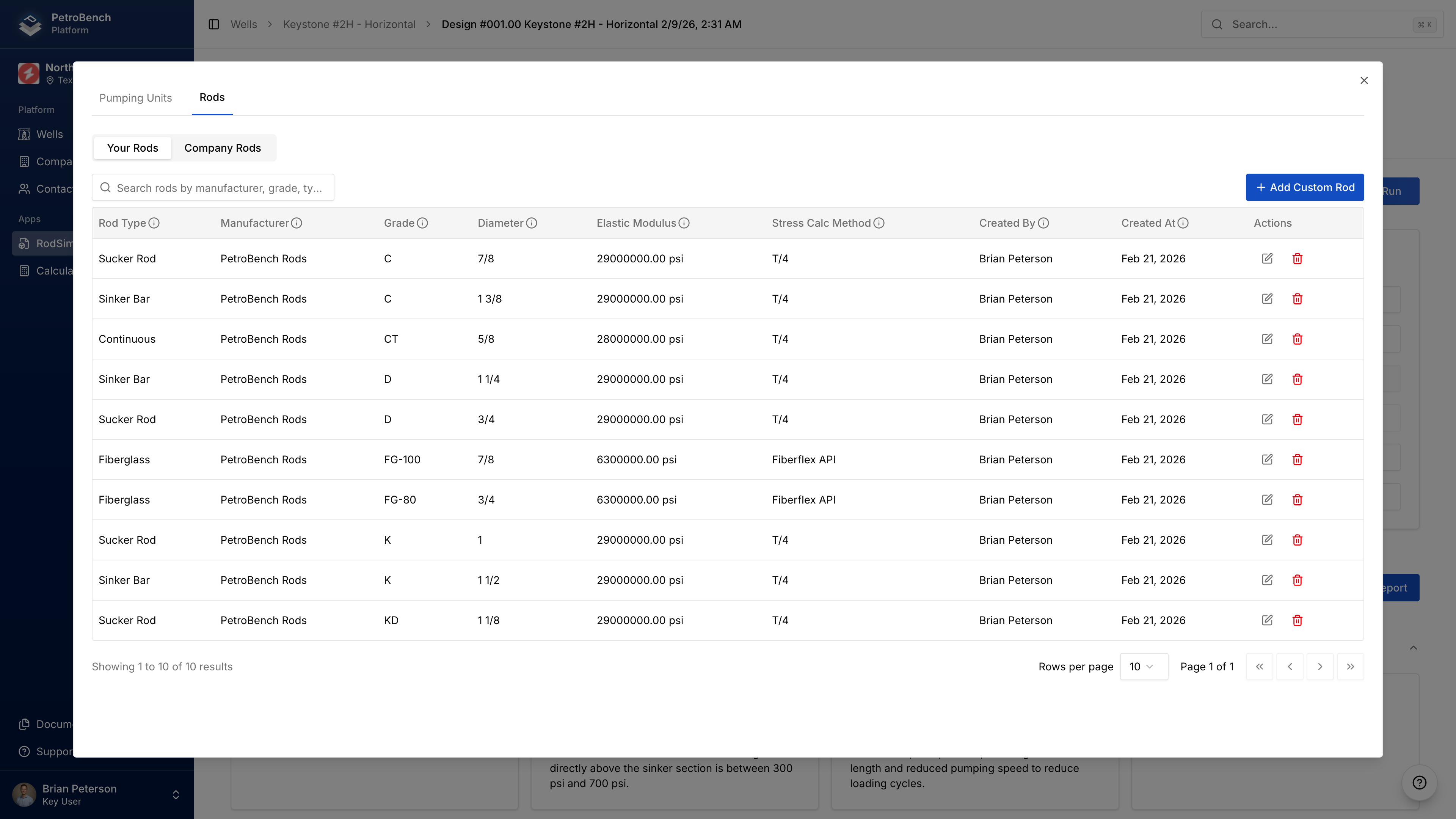
Create custom rods when your rod specs aren't in the standard library.
Create a Custom Rod
- Click the Custom Equipment icon (next to Compare) on a simulation page
- Select the Rods tab
- Click Create Custom Rod
- Enter required fields:
| Field | Description |
|---|---|
| Rod Type | Type of rod |
| Manufacturer | Manufacturer name |
| Grade | Rod grade designation |
| Diameter | Rod diameter (API sizes) |
| Elastic Modulus | Material stiffness (psi) |
| Stress Calculation Method | Stress calculation approach |
| Linear Weight | Weight per foot (lbs/ft) |
| Minimum Tensile Strength | Required for steel rods (psi) |
- Click Save
Pin size, coupler weight, and actual diameter are auto-calculated from your specifications.
Create from Simulation
You can also create custom rods while configuring a simulation:
- In Rod Configuration, click Create Custom Rod
- Complete the form
- The new rod is immediately available
Using Custom Rods
- In simulation Rod Configuration, add a rod section
- Select manufacturer → grade → diameter
- Custom rods appear alongside standard rods
- Configure length and guides as usual
You can mix standard and custom rods in the same string.
Edit or Delete
- Your Rods tab shows rods you created
- Company Rods tab shows all rods in your organization
- Click Edit to modify, Delete to remove
Editing a custom rod affects all simulations that reference it.