Equipment
Custom Pumping Units
Define custom pumping unit geometries and specifications in PetroBench. Configure stroke length, gear ratios, and structural properties for simulation.
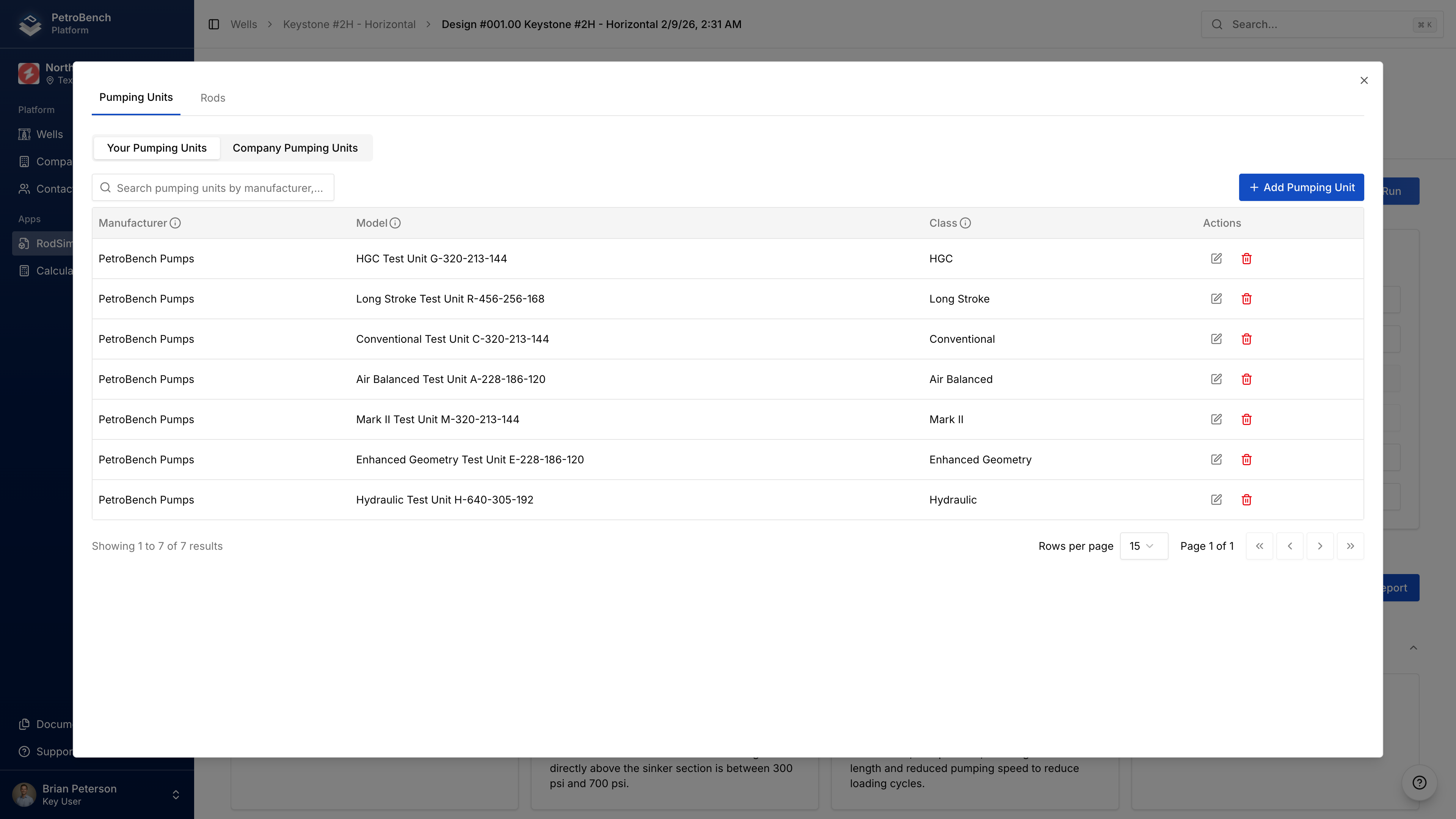
Create custom pumping units when your unit isn't in the standard library.
Create a Custom Unit
- Click the Custom Equipment icon (next to Compare) on a simulation page
- Click Create Custom Pumping Unit
- Enter required fields:
| Field | Description |
|---|---|
| Manufacturer | Unit manufacturer name |
| Model | Model designation |
| Type | Unit geometry type |
| Class | Size classification |
- Add geometric parameters (A-K dimensions)
- Configure crank positions and stroke lengths
- Enter gearbox and structural ratings
- Click Save
The more parameters you provide, the more accurate your simulation results.
Create from Simulation
You can also create custom units while configuring a simulation:
- In Well Data, select Custom as the unit type
- Click Create Custom Pumping Unit
- Complete the form
- The new unit is immediately available
Using Custom Units
- In simulation Well Data, select Custom for unit type
- Choose manufacturer from your custom units
- Select the model
- Configure rotation and crank hole
Edit or Delete
- Your Pump Units tab shows units you created
- Company Pump Units tab shows all units in your organization
- Click Edit to modify, Delete to remove
Editing a custom unit affects all simulations that reference it.
Equipment
Create and manage custom pumping units and rod configurations in PetroBench. Define equipment specs for accurate rod pump simulation results.
Custom Rods
Create custom rod string configurations in PetroBench. Define rod grades, diameters, and taper designs for accurate stress and fatigue analysis.